AI手把手控制C4D工作!C4D MCP来了!
摘要: Cinema 4D MCP Server 是连接 C4D 创作工作与受支持 AI 工具之间的桥梁,用户只需用自然语言描述任务,兼容的 AI 客户端即可直接在 Cinema 4D 中操作。用户可以自行决定哪些工作交给 AI、AI 可访问哪些工具、何时开 ...
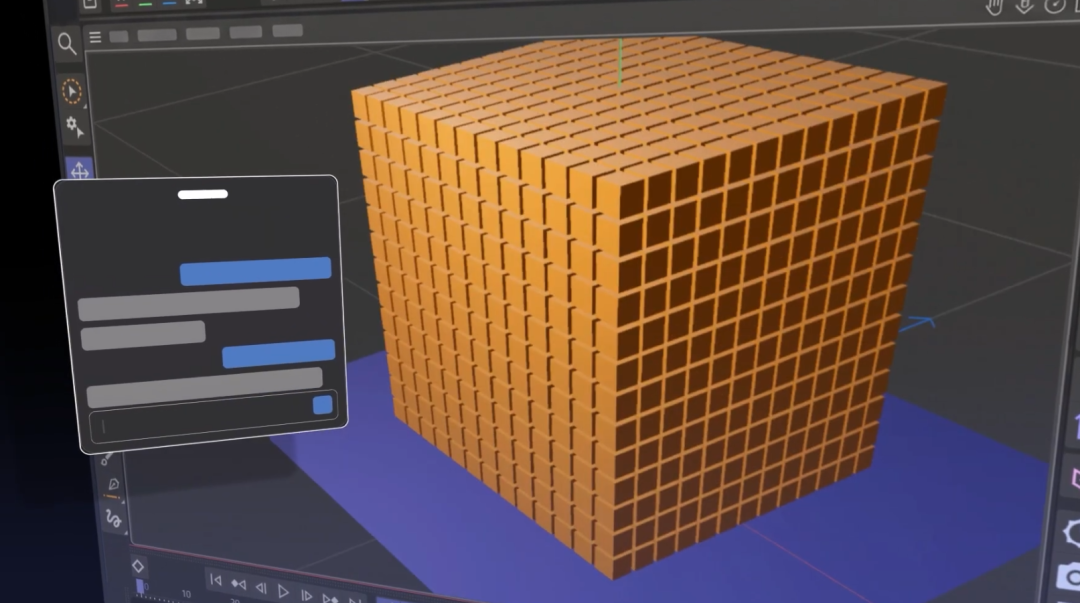
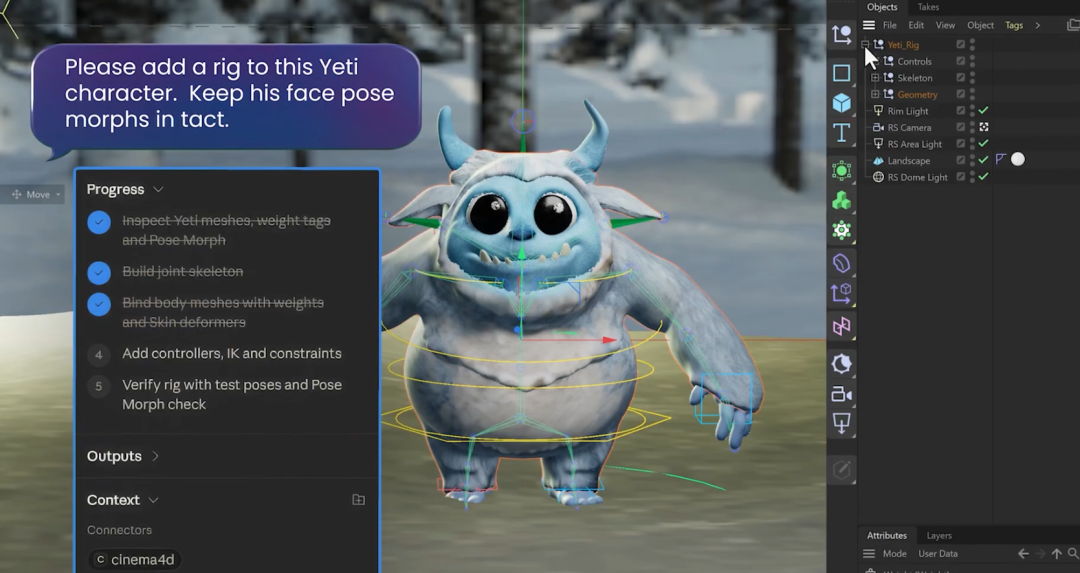
Cinema 4D MCP Server:它是连接你的创作工作与受支持 AI 工具之间的一座桥梁。只需要使用自然语言描述任务,兼容的 AI 客户端就可以直接在 Cinema 4D 中进行操作。
可以自行决定:哪些工作交给 AI,AI 客户端可以访问哪些工具,什么时候开启 MCP,保留真正需要创意和技巧的工作,把繁琐重复的任务交给 AI。而且,很快还会有大量全新的功能加入 Cinema 4D。
实测演示C4D 2026.4 自带了MCP,直接勾选启用,配置好对应AI即可。
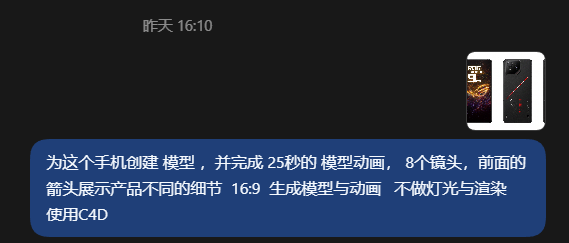
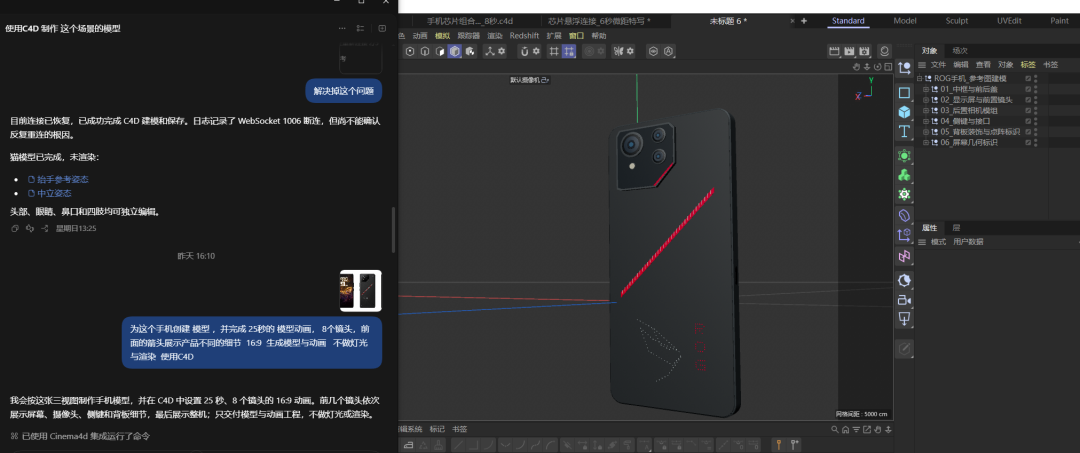
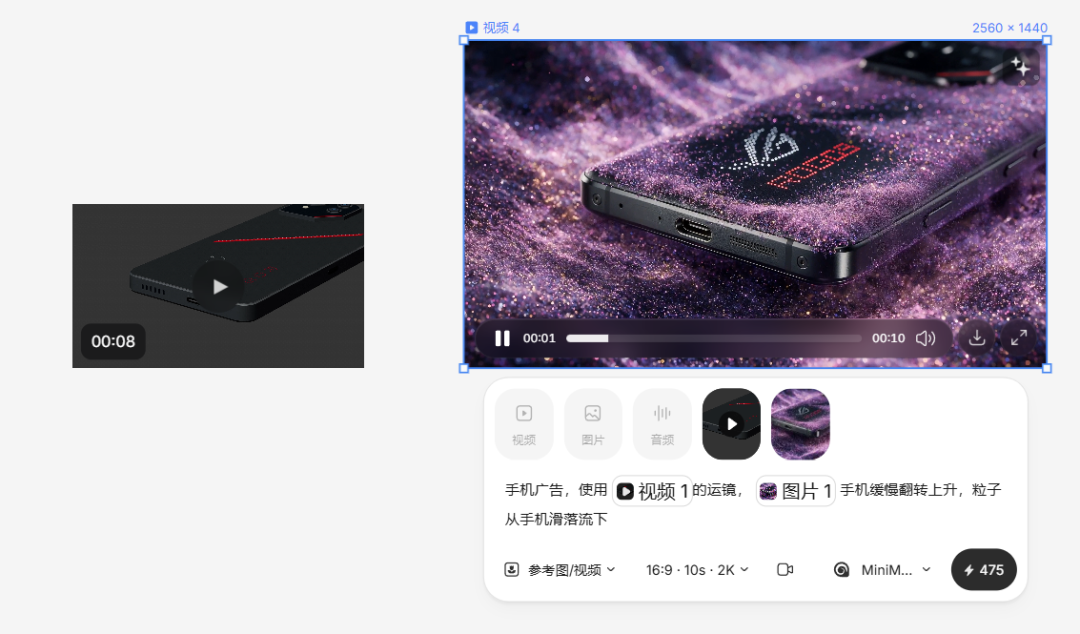
创建手机模型与镜头动画。
这个模型细节用了制作预览动画刚刚好。
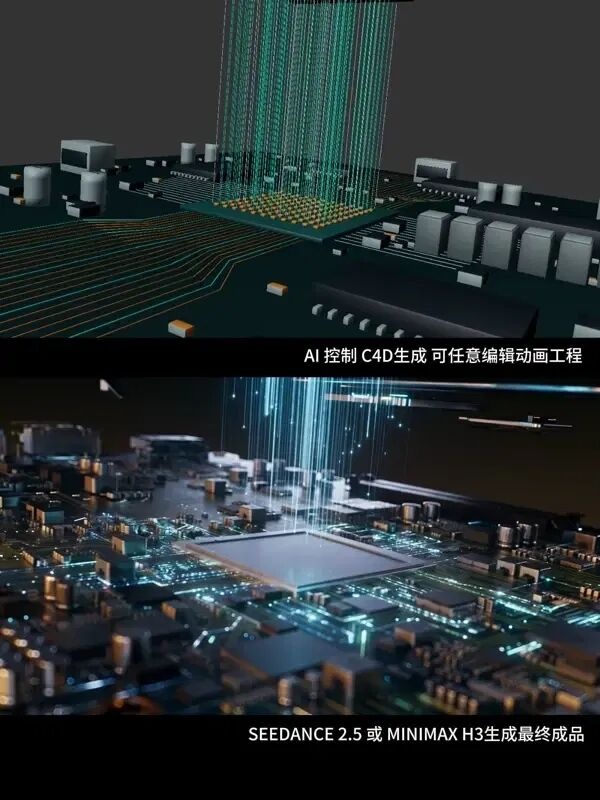
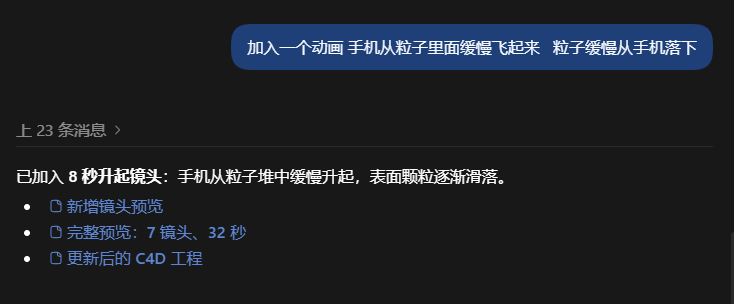
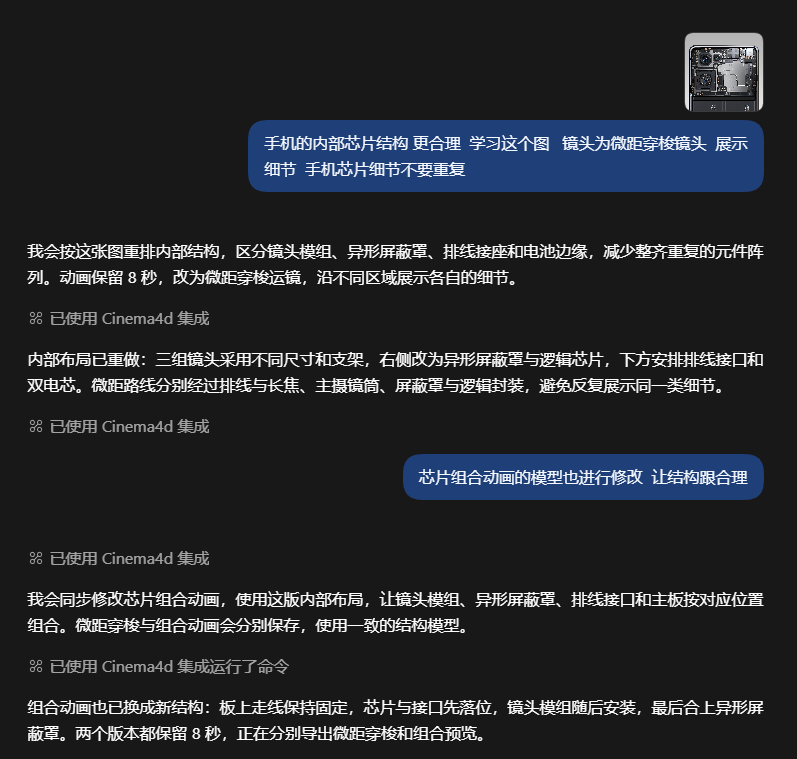
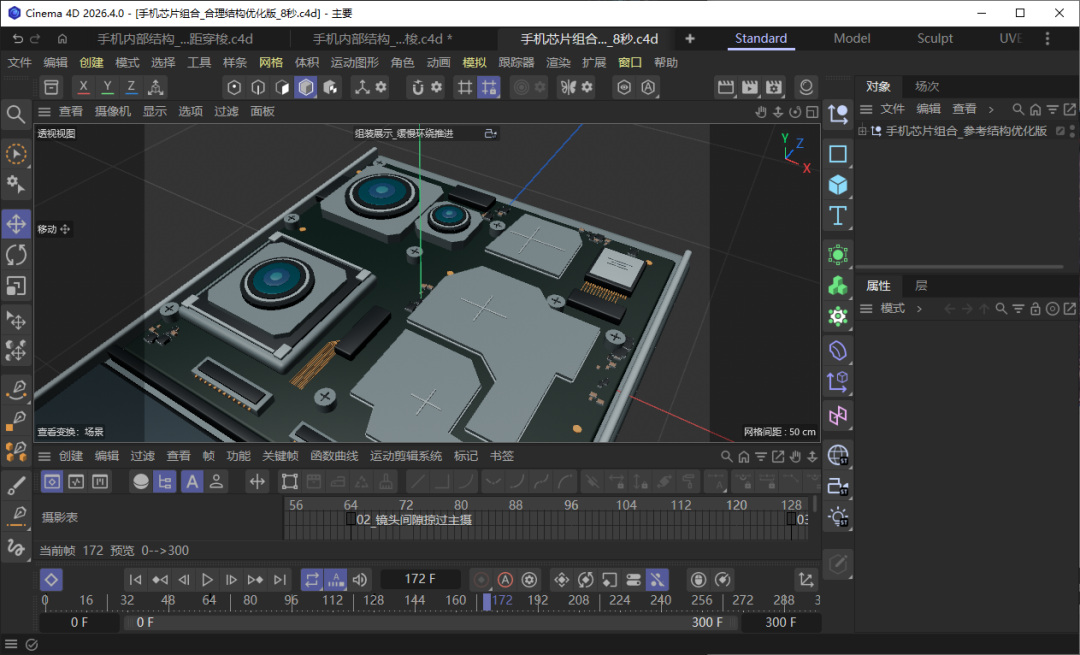
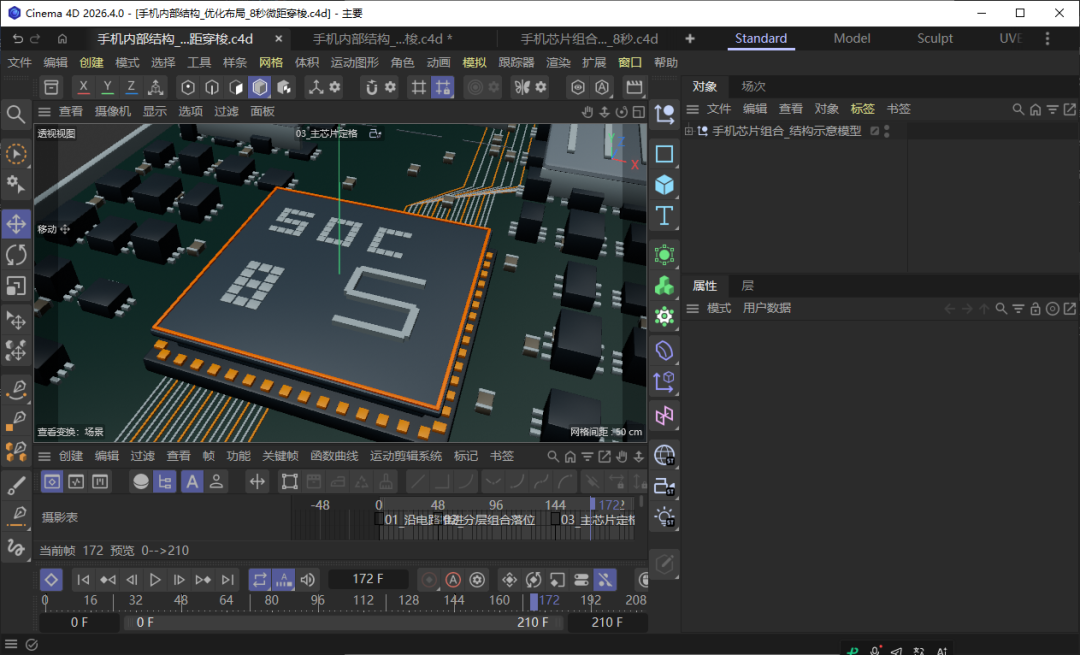
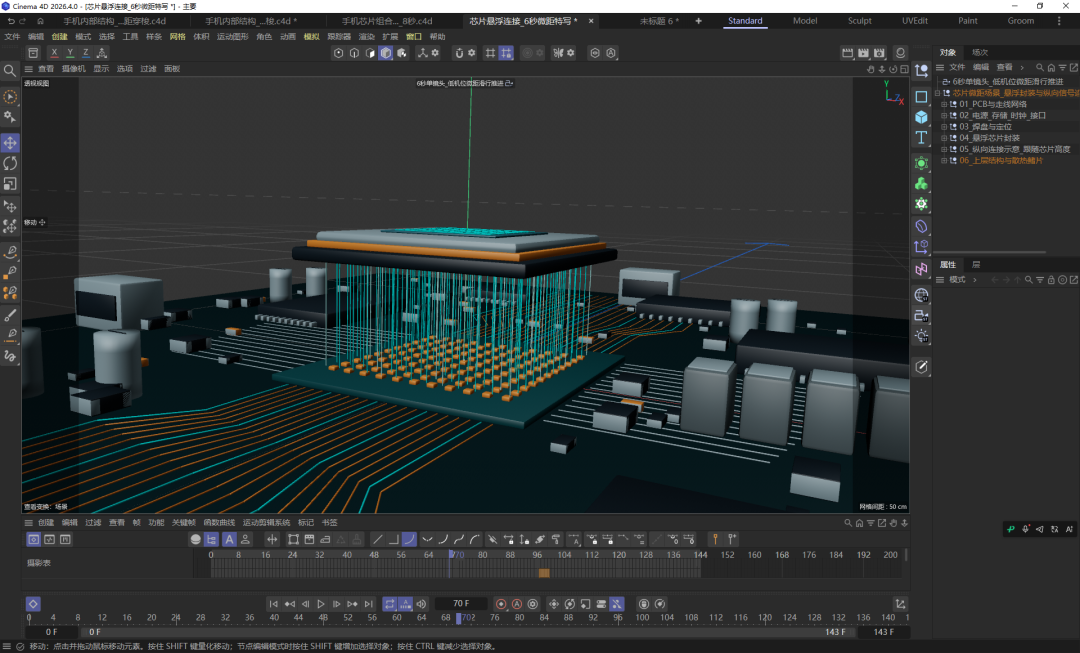
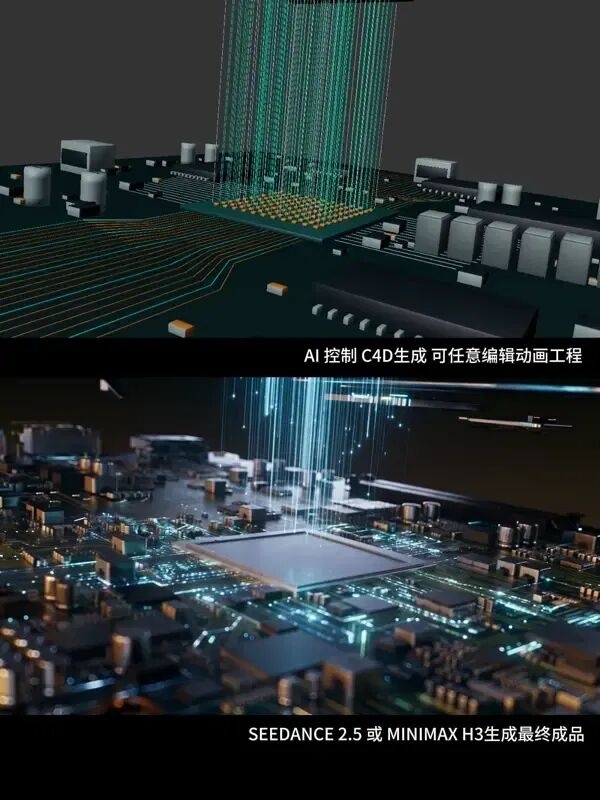
手机内部芯片展示示意。
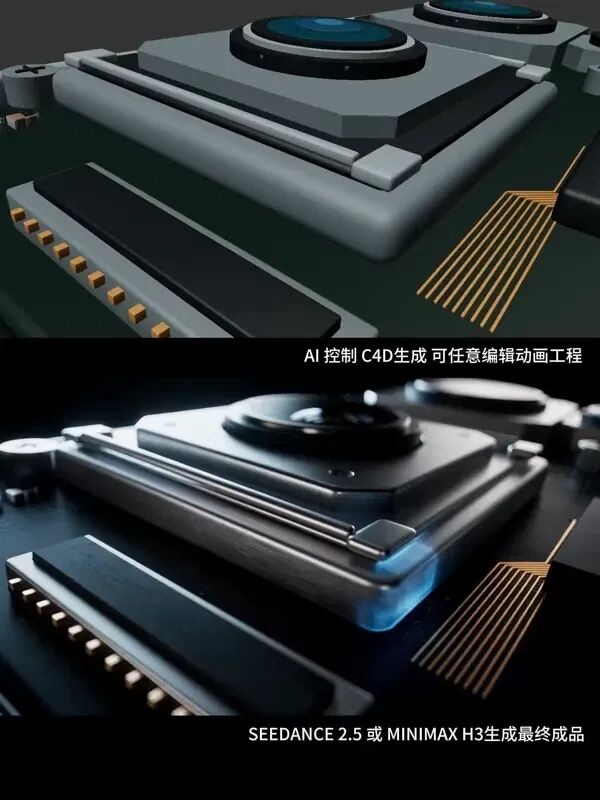
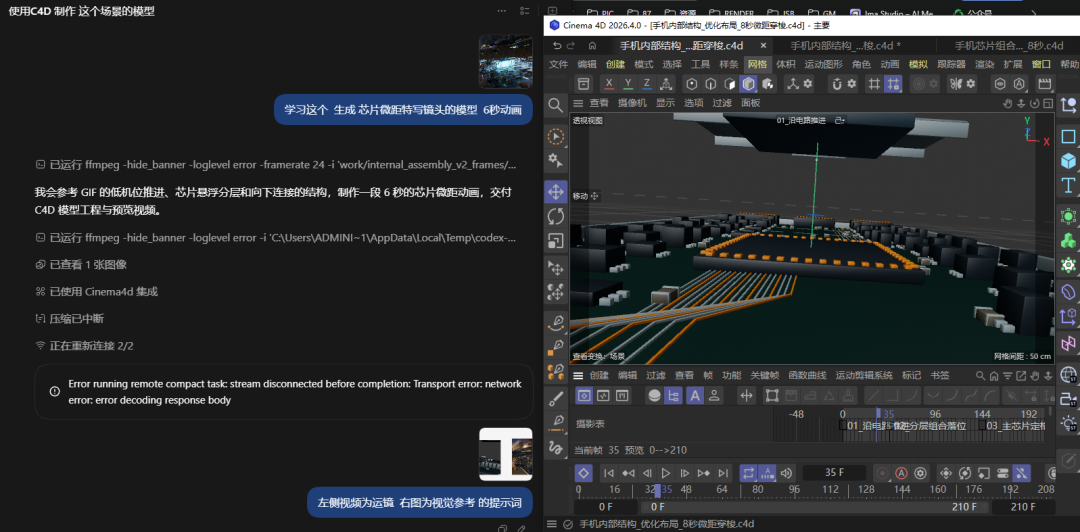
芯片动画
到这里你会发现控制C4D与控制BLENDR是一样的。也就说AI帮你学会这些软件,你提需求就可以。
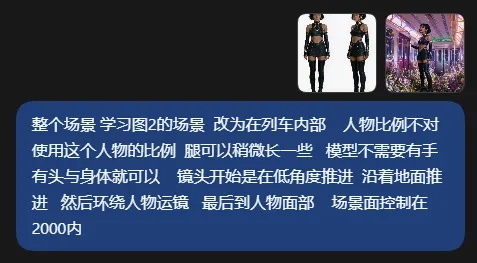
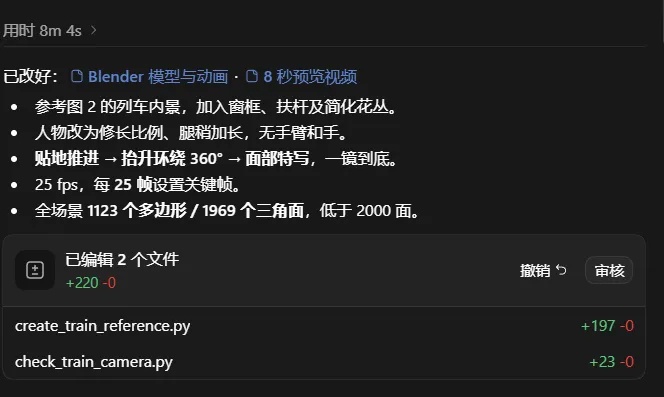
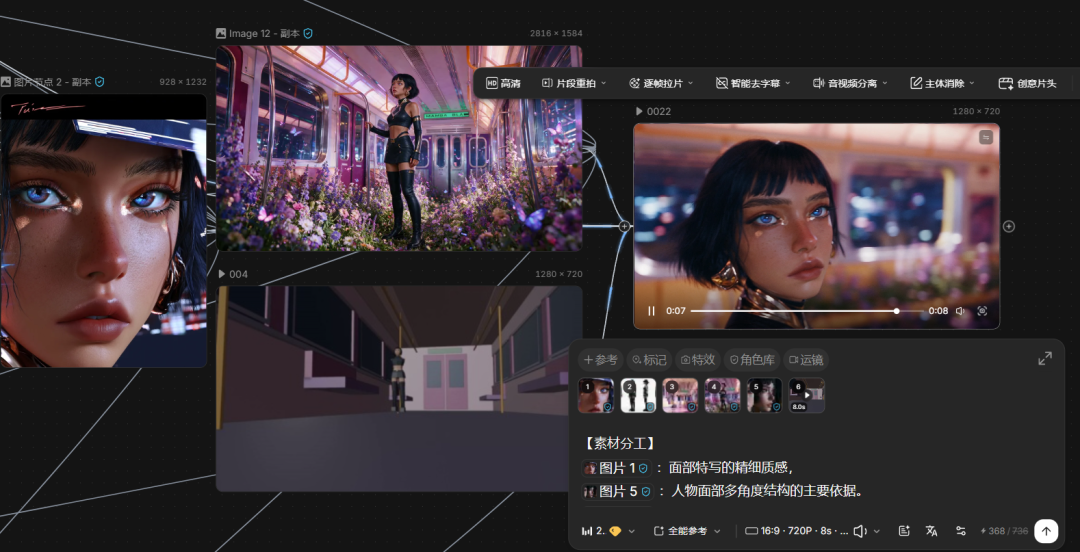
这里有一个非常重要的思路:我们不是用 3D软件 做最终广告片。更像是一个“镜头草图”或者“3D 分镜”。它主要负责确定:人物在哪里、产品在哪里、相机从哪里运动到哪里、什么时候切镜头。至于皮肤、材质、头发、手指、服装褶皱这些细节,最后都可以交给视频模型重新生成。所以模型越简单,Codex 建模越快,工程也越轻。
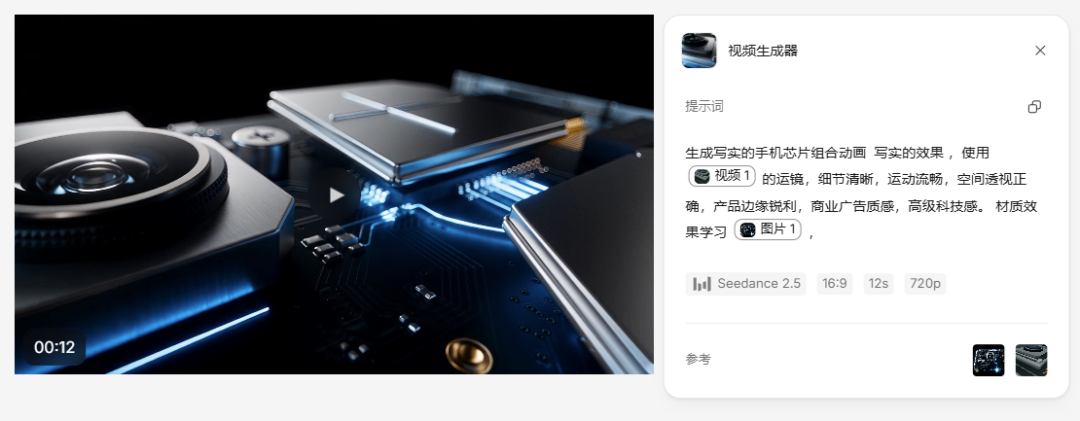
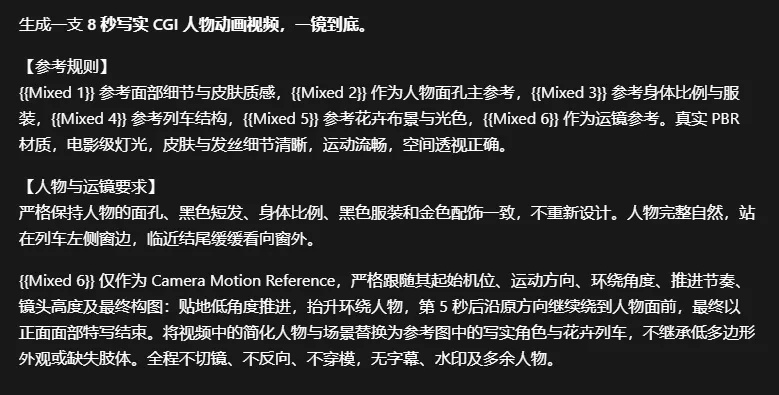
这个建模+动画只用了8分钟。模型是故意不要手的,这样手部完全是AI生成视频的时候控制,模型只控制运镜。 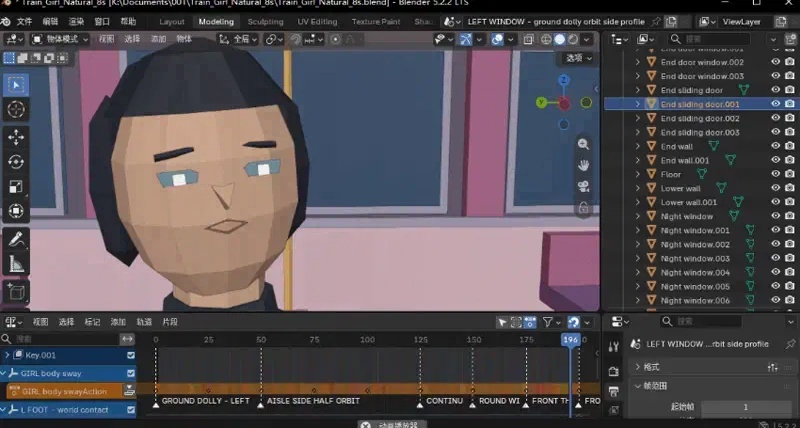 动画确认以后,我会把它作为视频运动参考。这时候提示词主要负责:材质、人物细节、环境、光影、广告风格。Blender 则负责:构图、人物位置、产品位置和镜头运动。 动画确认以后,我会把它作为视频运动参考。这时候提示词主要负责:材质、人物细节、环境、光影、广告风格。Blender 则负责:构图、人物位置、产品位置和镜头运动。
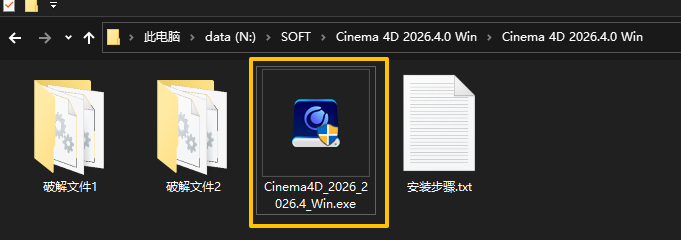
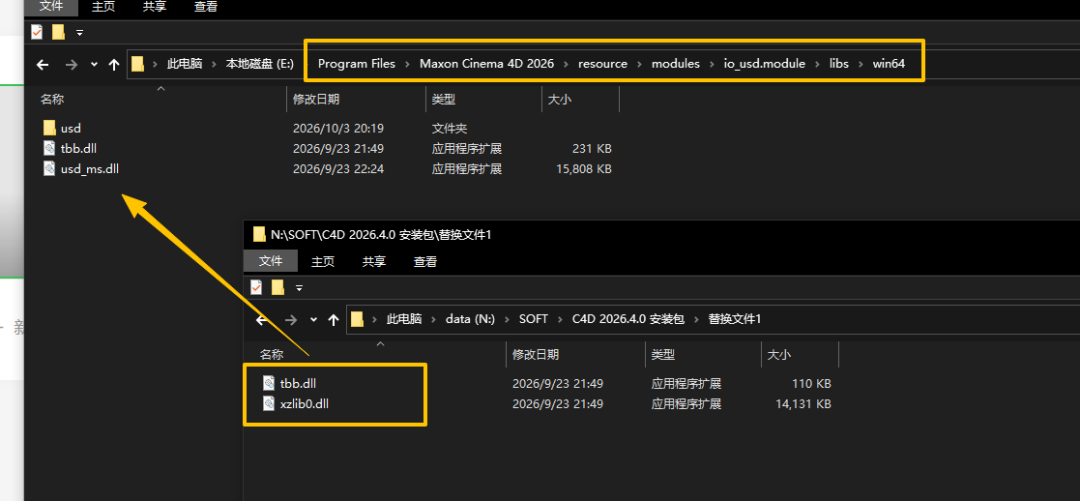
最终完成。 这套方法真正解决的,并不是“让 AI 帮我们做 C4D”。而是解决了 AI 视频现在一个非常核心的问题:生成质量越来越高,但控制能力还不够强。以前我们控制视频主要靠提示词。现在可以把控制拆成两部分:AI+C4D负责:构图 / 空间 / Camera / 运镜 / 时间 / 镜头切换Seedance / H3负责:真实人物 / 材质 / 光影 / 细节 / 风格两套 AI 各做自己最擅长的事情。这可能也是未来 AI 视频很重要的一种工作方式:不是让一个模型完成所有事情,而是用不同模型组合成一条真正可控的生产流程。 下载与安装 需要C4D是最新版,也就是2026.4 与以上的版本。就是说C4D 2026.3 不支持, C4D 2023 不支持。C4D R26 不支持,C4D S26 不支持。 必须是 C4D 2026.4 与以上的版本 保姆安装教程,安装共2个步骤。1.双击 Cinema4D_2026_2026.4_Win 进行安装。
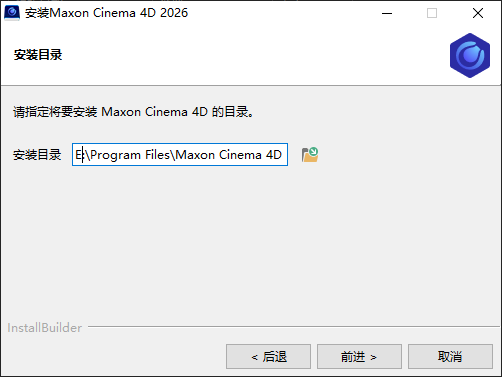
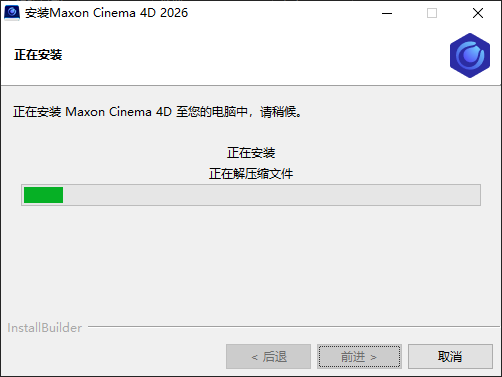
一直下一步到安装完成。
2.拷贝文件1里面的tbb.dll和xzlib0.dll到C4D安装目录替换即可。X:\Program Files\Maxon Cinema 4D 2026\resource\modules\io_usd.module\libs\win64,
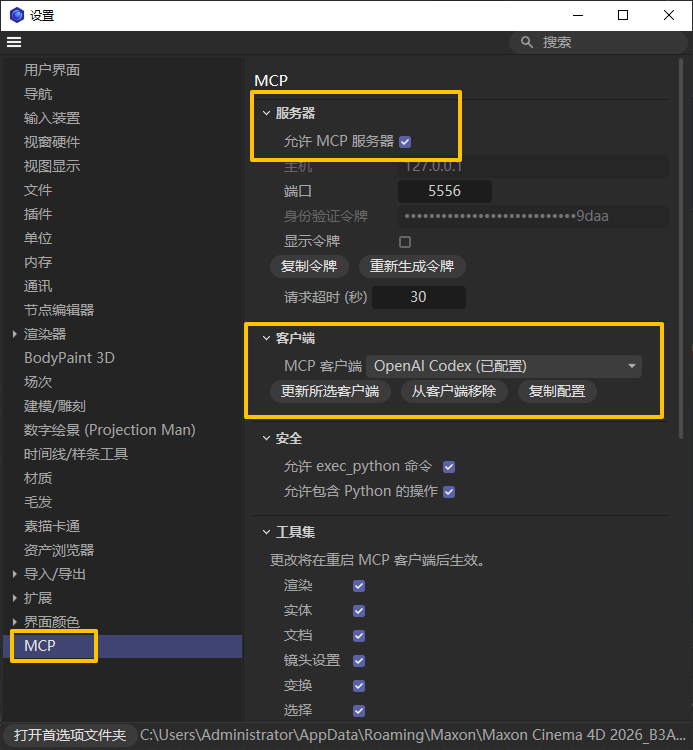
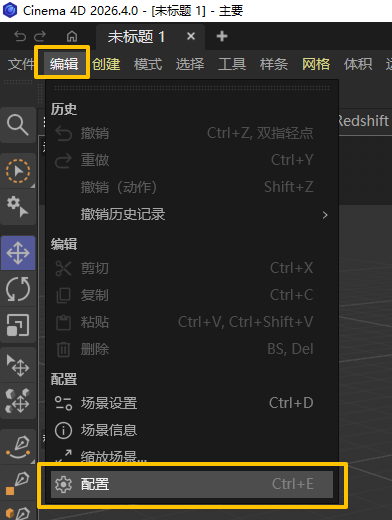
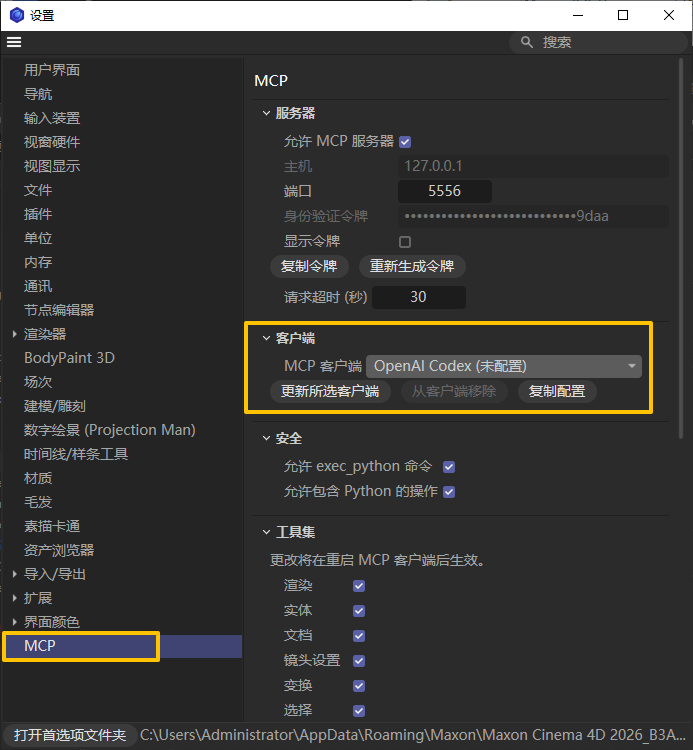
安装完成可以正常使用了。 开启MCP服务,连接AI。 在编辑,配置里面,选择MCP
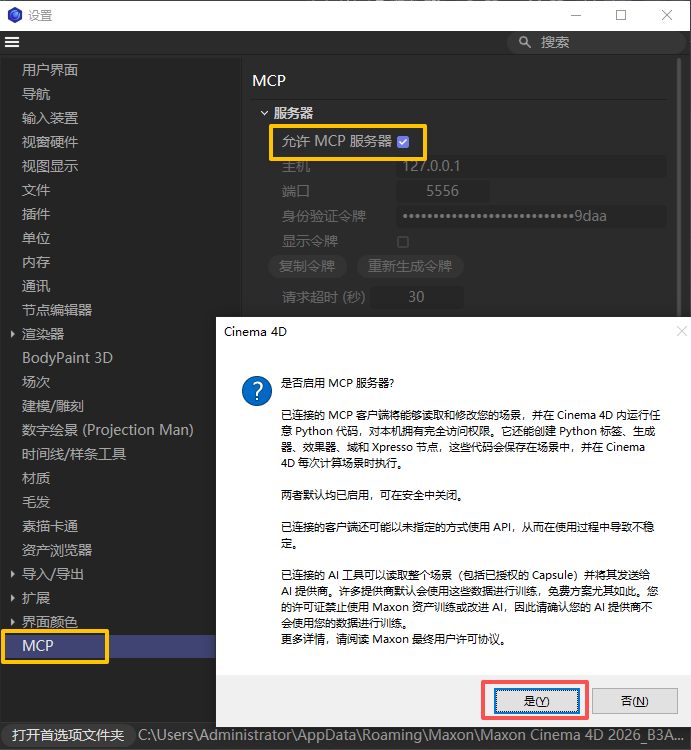
勾选 允许MCP服务器,弹出是否启用,点击 是
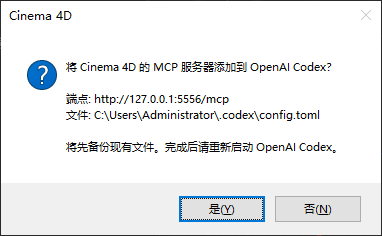
还是这个选项,在 MCP客户中选择你AI,然后点击更新所选客户端
点击 是
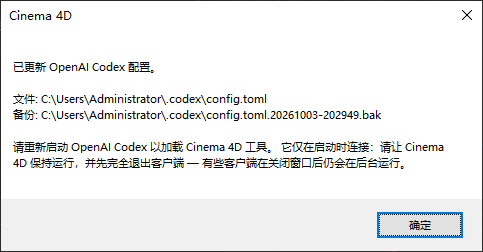
提示词你重启一下
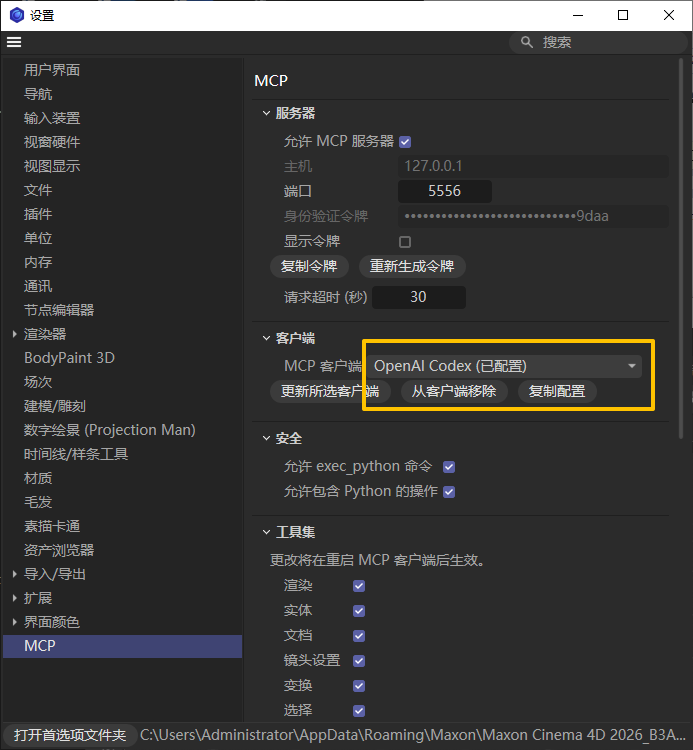
重启后可以在来检查,提示已配置,这样就是完成的了。
Cinema 4D 2026.4.0 Win:https://www.c4d.com.cn/94435.html |




最新评论

- C4D MCP 链接 WorkBuddy 2026-10-08
- AI手把手控制C4D工作!C4D MCP来了! 2026-10-08
- C4D 内置 MCP 后,AI 真能让你不用学 3D 软 2026-10-08
- MAXON Cinema 4D C4D 2026.3.0 Win更新版发 2026-06-12
- X-Particles即将集成到Cinema 4D中,高级粒 2026-06-11
- Redshift 2026.6.0 重磅更新:六边形平铺功 2026-05-08
- C4D MCP 链接 WorkBuddy
- AI手把手控制C4D工作!C4D MCP来
- C4D 内置 MCP 后,AI 真能让你不
- MAXON Cinema 4D C4D 2026.3.0 W
- X-Particles即将集成到Cinema 4D
- Redshift 2026.6.0 重磅更新:六
- BMS未来科幻日本千叶城市建筑楼
- Redshift 2026.5 更新详解:Open
- Maxon发布重磅更新:Cinema 4D登
- OctaneRender 2027.1 Alpha 1 发
- C4D拥抱腾讯混元3D:Maxon在AI路
- 【免费神器】Open Light v0.1.0-
- Cinema 4D × ComfyUI 渲染插件
- Octane for Cinema 4D 正式推出
- C4D2026.1.2版本更新下载
赞助商广告
