
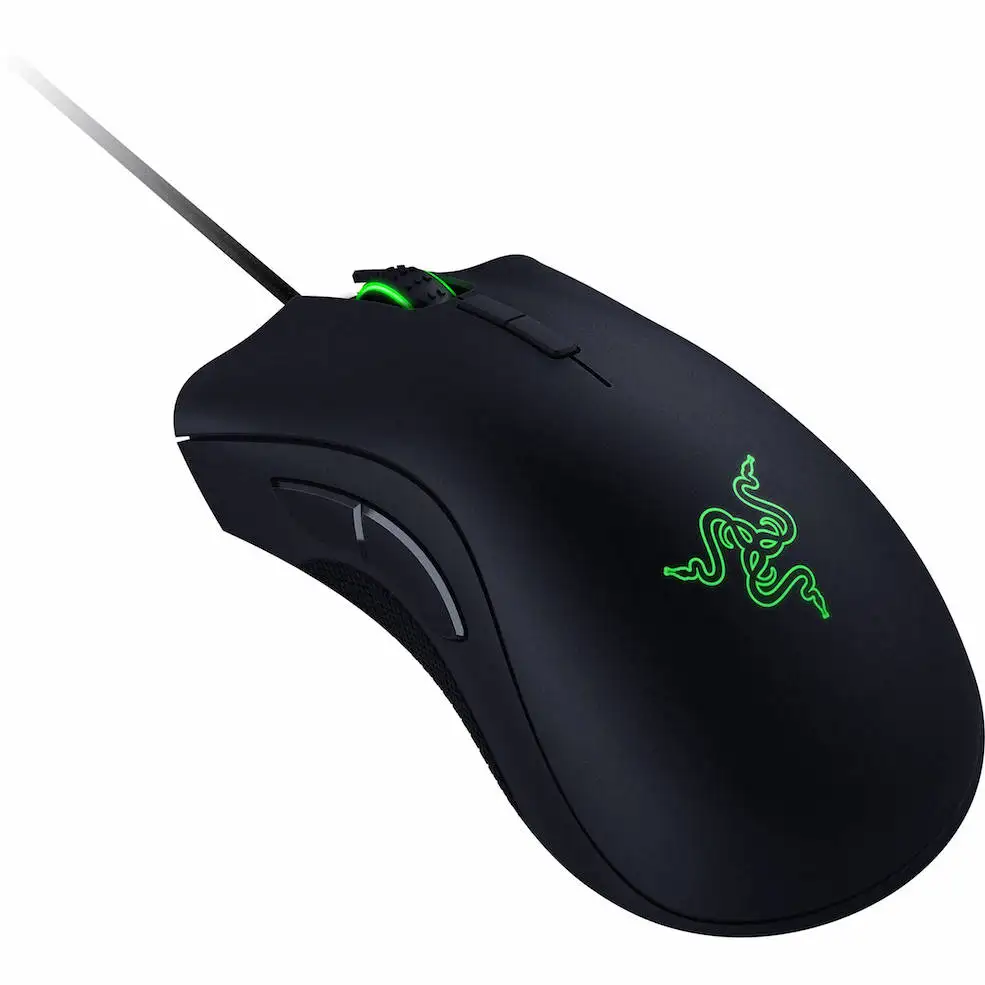
本节教程讲解在C4D中鼠标模型材质的制作,已经场景灯光和渲染输出等,不包括建模过程,附件中包含鼠标模型。
If you learn CGI, you’ll never be held back by your budget, your access to travel, or your small home studio, ever again. Once you own a set or a prop, you have it to use forever. You can change your angle, light it any way you want, add or remove props, and change anything you like to suit the image you want to make. You can even set up the lighting to match a portrait you’ve already taken. With these photoreal sets and models, clients will never be able to tell the difference between what is real, and what you’ve created especially for them.
01_of_03_Complete Build Mouse
14 01 Welcome To The Full Build.mp4
14 02 Examination Of The Model.mp4
14 03 Building The Enviornment.mp4
14 04 Building Composition and Camera Angle.mp4
02_of_03_Complete Build Mouse
14 06 Adding Materials To The Model Part 1.mp4
14 06 Adding Materials To The Object Part 2.mp4
03_of_03_Complete Build Mouse
14 06 Adding Materials To The Model Part 3.mp4
14 07 Tactical Pause.mp4
14 08 Post Production.mp4
CGI final thoughts.mp4
DV Complete Build RGB Mouse 01 UVs Fixed.c4d
DV Complete Build RGB Mouse 02 Ready For Cam.c4d
DV Complete Build RGB Mouse 03 Ready For lighting.c4d
DV Complete Build RGB Mouse 04 Ready For Mats.c4d
DV Complete Build RGB Mouse 05 Building Mats.c4d
DV Complete Build RGB Mouse Start.c4d
|
|

















Comment :5