C4D桥接到Spark AR软件的流程视频教程 Mograph – C4D to Spark AR Crash-Course

2020-12-05 07:30 发布 | 作品版权归原作者所有,仅供参考学习,禁止商业使用!

视频教程 /[插件教程]
C4D导入Spark AR软件教程 Mograph – C4D to Spark AR Crash-Course
C4D桥接到Spark AR软件的流程视频教程 Mograph – C4D to Spark AR Crash-Course - C4D之家 - 2.jpg
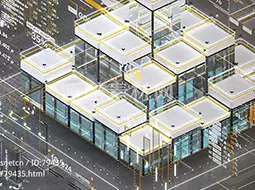
SparkAR是Facebook推出的可以让使用者专属的AR滤镜並且直接分享在Facebook或Instagram上面的Ar软件。本教程讲解在C4D中制作简单的模型动画之后,如何桥接到Spark AR的流程步骤

Don will show you how to take a basic, animated model in Cinema 4D, export it in the correct format, import it into Spark AR, make sure it’s animating and placed correctly, apply a texture, add an environment, and upload for approval. This course is not about the complicated inner-workings of Spark AR, but rather the workflow between programs. It will help kick-start your understanding of the process so you can begin your AR journey. Subsequent mini-courses will cover other various topics in the world of Spark AR.


B Color Smilies

Comment :13

视频教程
教程格式: MP4
教程语言: 英文
包含工程:
教程性质: 普通教程
教程作者: cinema4d
教程来源: www.c4d.com.cn

相关推荐

百套精美Kitbash3D模型专题合集下载
时尚卡通办公室人物C4D立体图标工程下载Cinema 4D Fashion Cartoon Office Character 3D Icon Project Download
C4D科技新闻片头电视栏目频道包装动画工程下载Cinema 4D Technology News Headline TV Program Channel Packaging Animation Project Download
关闭

C4D精选推荐 /10

知识
问答
快速回复 返回顶部 返回列表