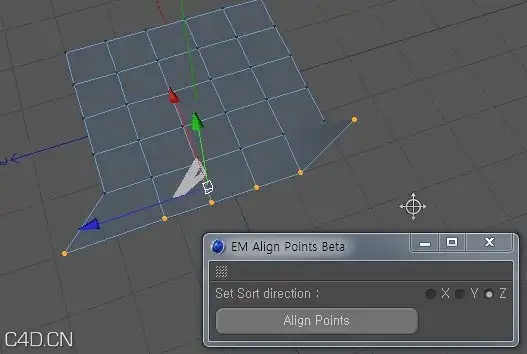
以前有童鞋反应能不能实现不同物体之间的点对齐,zui*近想到解决办法了,于是又进行了一次升级,增加两种对齐模式:Absolut(好的)和Relative(相对),这两种模式在对多个物体使用时才有区别,具体请看视频简介
以下是Python代码,加了中文注解,注意这是脚本版的代码,插件版本的代码有些许区别

视频:
import c4d
from c4d import gui
#Welcome to the world of Python
id_x=2000
id_y=2001
id_z=2002
id_set=2003
id_align=2004
id_zero=2005
id_g1=2006
id_g2=2007
id_g3=2008
id_tex=2009
id_combo=2010
obj2=c4d.BaseObject(c4d.Onull)
def sub1():
obj1 = doc.GetActiveObject()
sel=obj1.GetPointS()
num=obj1.GetPointCount()
i=0
n=0
#设置计数
global TposR
global TposA
#TposR = 局部坐标
#TposT = 世界坐标
while i<num:
if sel.IsSelected(i):
TposR=obj1.GetPoint(i)
else:
n=n+1
i=i+1
#获取选择点的局部坐标
if n == num:
gui.MessageDialog('请先选择点!')
#错误规避
Opos=obj1.GetMg().off
TposA = Opos+TposR
#目标点局部坐标转化成世界坐标
c4d.EventAdd()
return TposR
#这句好像没什么用场了= =
def sub2_1():
global obj2
global TposA
obj2 = doc.GetActiveObject()
sel=obj2.GetPointS()
num=obj2.GetPointCount()
TposA = TposA-obj2.GetMg().off
#目标点全局坐标转化成相对于执行物体的坐标
#P.S.SetPoint()只能设置局部坐标
m=0
h=0
#设置计数
while m<num:
if sel.IsSelected(m):
Spos=obj2.GetPoint(m)
Fpos=TposA.__rxor__(t1)+Spos.__rxor__(t2)
#根据用户选择的轴向组合确定zui*终点的坐标
doc.AddUndo(c4d.UNDOTYPE_CHANGE,obj2)
obj2.SetPoint(m,Fpos)
else:
h=h+1
m=m+1
if h == num :
gui.MessageDialog('请先选择点!')
#错误规避
obj2.Message(c4d.MSG_UPDATE)
#刷新视图,点被修改要用这条,普通的EventAdd()无效
c4d.EventAdd()
def sub2_2():
global obj2
global TposR
obj2 = doc.GetActiveObject()
sel=obj2.GetPointS()
num=obj2.GetPointCount()
m=0
h=0
#设置计数
while m<num:
if sel.IsSelected(m):
Spos=obj2.GetPoint(m)
Fpos=TposR.__rxor__(t1)+Spos.__rxor__(t2)
#根据用户选择的轴向组合确定zui*终点的坐标
doc.AddUndo(c4d.UNDOTYPE_CHANGE,obj2)
obj2.SetPoint(m,Fpos)
else:
h=h+1
m=m+1
if h == num :
gui.MessageDialog('请先选择点!')
#错误规避
obj2.Message(c4d.MSG_UPDATE)
#刷新视图,点被修改要用这条,普通的EventAdd()无效
c4d.EventAdd()
def sub3():
sel=op.GetPointS()
num=op.GetPointCount()
m=0
h=0
#设置计数
while m<num:
if sel.IsSelected(m):
Spos=op.GetPoint(m)
op.SetPoint(m,Spos.__rxor__(t4))
#根据用户选择轴向组合归零
else:
h=h+1
m=m+1
if h == num :
gui.MessageDialog('请先选择点!')
#错误规避
op.Message(c4d.MSG_UPDATE)
#刷新视图,点被修改要用这条,普通的EventAdd()无效
c4d.EventAdd()
class ui(gui.GeDialog):
#新建界面类
def CreateLayout(self):
self.SetTitle("点对齐 v0.0")
self.AddStaticText(id_tex,c4d.BFH_RIGHT, inith=6,name="POINT ALIGN v1.20s")
self.GroupBegin(id_g1,c4d.BFH_LEFT|c4d.BFV_TOP,cols=1,rows=3)
self.GroupBorderSpace(left=25, top=25, right=0, bottom=25)
self.GroupBorderNoTitle(c4d.BORDER_THIN_IN)
self.AddCheckbox(id_x,c4d.BFH_LEFT|c4d.BFV_TOP,initw=250,inith=0,name="X轴")
self.AddCheckbox(id_y,c4d.BFH_LEFT|c4d.BFV_TOP,initw=250,inith=0,name="Y轴")
self.AddCheckbox(id_z,c4d.BFH_LEFT|c4d.BFV_TOP,initw=250,inith=0,name="Z轴")
self.GroupEnd()
self.AddSeparatorH(250)
self.GroupBegin(id_g3,c4d.BFH_LEFT|c4d.BFV_TOP,cols=2,rows=1)
self.AddButton(id_set,c4d.BFH_CENTER,initw=100, inith=15,name="目标")
id_box=self.AddComboBox(id_combo,c4d.BFH_MASK,initw=100,inith=15)
self.AddChild(id_box,0,"好的")
self.AddChild(id_box,1,"相对")
self.GroupEnd()
self.AddButton(id_align,c4d.BFH_CENTER,initw=250, inith=15,name="对齐")
self.AddButton(id_zero,c4d.BFH_CENTER,initw=250, inith=15,name="归零")
self.AddSeparatorH(250)
return True
#重载界面创建函数
def InitValues(self):
self.SetBool(id_x,True)
self.SetBool(id_y,True)
self.SetBool(id_z,True)
return True
#设置初始值
def Command(self,id,msg):
if id==id_set:
sub1()
if id==id_align:
global t1
global t2
x=self.GetBool(id_x)
y=self.GetBool(id_y)
z=self.GetBool(id_z)
t1=c4d.Vector(x,y,z)
t2=c4d.Vector(not x,not y,not z)
if int(self.GetReal(id_combo))==0:
sub2_1()
if int(self.GetReal(id_combo))==1:
sub2_2()
if id==id_zero:
global t3
global t4
x=self.GetBool(id_x)
y=self.GetBool(id_y)
z=self.GetBool(id_z)
t3=c4d.Vector(x,y,z)
t4=c4d.Vector(not x,not y,not z)
sub3()
return True
#重载按钮命令函数
if __name__=='__main__':
doc.StartUndo()
execute=ui()
execute.Open(dlgtype=c4d.DLG_TYPE_ASYNC, defaultw=160, defaulth=240)
doc.EndUndo()
|
|



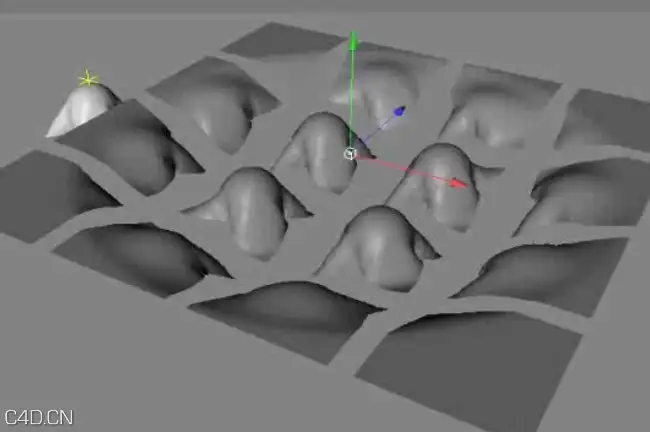

















 C4D布料点缓存介绍视频 Cinema 4D Tutorial – Introduction to Point Cache




Comment :5